Missing license numbers are a compliance risk
When owners and activities directors make their own flyers in Canva, Word or ChatGPT, the license number is often the first thing to go. And when a state changes its rules, every file has to change with it.
When a state changed its rules
A few months before a new HomeWell owner opened, their state restricted how home care services can be described. About half of HomeWell's usual marketing copy was no longer allowed. Two thirds of the owner's website had to be deleted before the state approved the opening.
Michelle Payne, SVP Marketing, HomeWell Franchising
State rules in every template
Add license numbers and required details once per state. Each location then gets the right version automatically, and a rule change is one update.
- Per state: license numbers and required wording, set once for every location in that state
- Per location: address, phone and call tracking number
- Locked: logo, colors and layout stay as you designed them

For home care and senior living
Home care franchises
- Ready-made templates and a grand opening kit for new owners
- Flex Templates for experienced owners who adapt materials to their own services and market
- Referral materials, local ads and hiring campaigns
- Logo, colors and signature programs locked
Senior living communities
- Brochures, availability campaigns and memory care kits for sales
- Activity calendars and event flyers for engagement teams: pick a design, pick a text, print
- Each community's address, license number and call tracking number filled in
- One brand across all communities, or a local brand for each
Campaigns and print for every location
Build a refer-a-friend, open house or hiring campaign once. Every location adds its own details.
- Marketing Shop: print, signage and promo items go straight to the suppliers you choose
- Approvals: let regional managers approve, so it doesn't all land in one inbox
- Usage reports: see which locations joined in

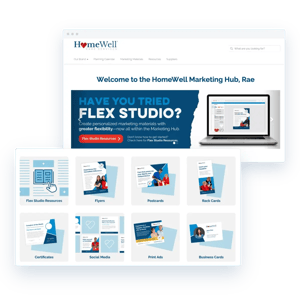
How HomeWell runs 130+ agencies
HomeWell used to make three versions of every piece to meet state rules. Now owners adapt materials themselves, within the brand.
“Our ideas can come to life on this platform and it's so much fun to play with. It's a fantastic tool.”
Krysten Farrier
Senior Designer, HomeWell Care Services
See it with your own templates
We'll show you one template working across every state and location, with the local details already filled in.Frequently asked questions
An onboarding specialist sets up the portal with you, usually in six to eight weeks. Your existing InDesign or PDF files become templates, so you don't start from scratch. Most teams start with one use case, like activity flyers or a single campaign, and add more later.
You group locations by state and add the license number and other required details to that group. Every template a location opens picks up the right details. When a rule changes, you update the group once.
Yes. Marvia works for any brand with multiple locations, franchised or not. Run one brand across all communities, or give each community its own logo and details.
Marvia is built for people who don't design or write for a living. They pick a template, choose from texts and images you've prepared, and their location details are already filled in. Usage reports show where they need help.
Yes. Add an approval step per template and choose who approves: your central team or regional managers. Fully locked templates usually don't need one.
Yes, through the Marketing Shop. Orders for print, signage, uniforms and promo items go straight to the suppliers you choose, within the budgets you set.