Last updated: September 21, 2026
A store manager needs a flyer for next week’s promotion. She sends a request to headquarters, where the marketing team already has several jobs in progress. If the request takes too long, she may create the flyer herself. That can lead to the wrong logo, outdated information, or a design that doesn’t follow the brand guidelines.
A brand portal gives local teams a better way to get marketing done. It gives them access to approved assets, guidelines, templates, campaigns, and ordering tools in one place, while the central team keeps control of the brand.
What is a brand portal?
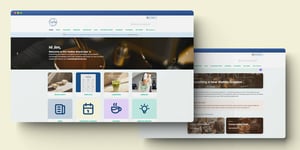
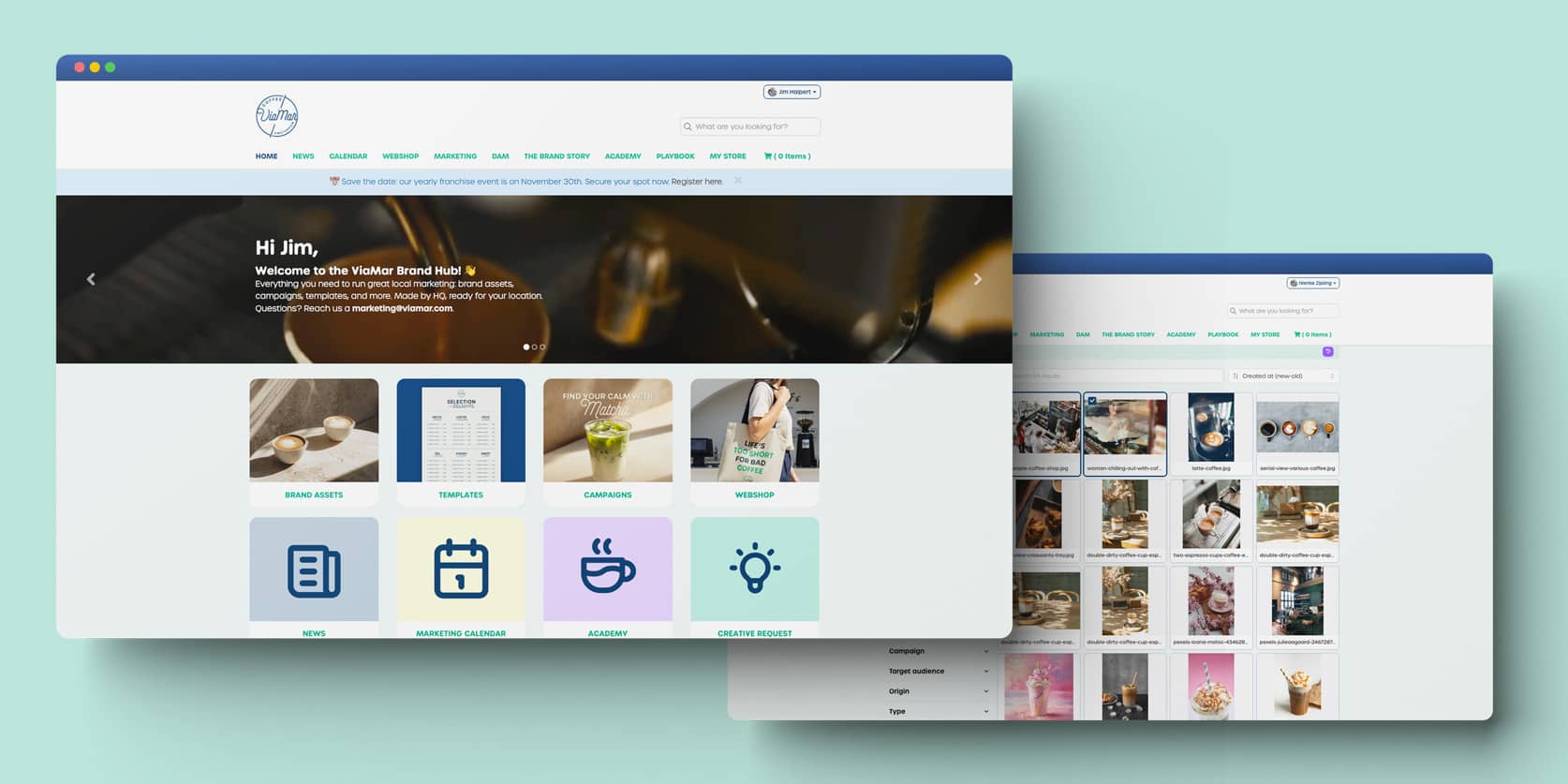
A brand portal is an online hub where everyone working with a brand can find and use the right marketing materials.
A portal may include:
- Logos and other brand assets
- Photos, videos, and icons
- Approved colors and fonts
- Tone of voice guidelines
- Templates for flyers, social posts, and ads
- Promotional items available to order
- Current campaigns and marketing information
Users access the brand portal through their browser. They don’t need to request files from headquarters or search through old email attachments and shared drives.
A brand portal is more than a shared folder
A shared folder gives people access to files. A brand portal helps them use those files to create and launch marketing.
For example, a local team member can open an approved template, update the address, add opening hours, or include a local promotion. The logo, font, colors, and core message remain protected.
This gives local teams room to work independently while the central team maintains brand consistency. It also reduces manual editing and helps approved marketing go live sooner.
What is the difference between a brand portal and a DAM?
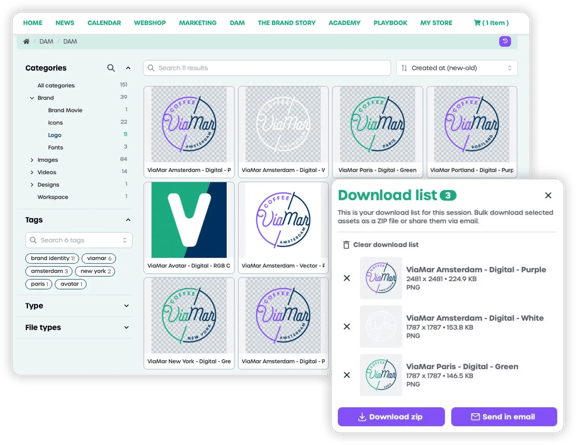
A digital asset management system, or DAM, helps an organization store, manage, and find digital files in one central place. These files might include logos, photos, videos, documents, and other brand materials.
A brand portal adds the tools and workflows that help people use those assets in their marketing.
In simple terms:
- A DAM manages your brand files
- A brand portal helps people turn those files into marketing
A DAM typically focuses on storage, search, permissions, and version control. A brand portal may also include brand guidelines, templates, campaigns, local editing, ordering, and distribution.
That difference matters to central marketing teams. A well-organized asset library helps people find the right files. A brand portal also helps local teams create marketing without asking headquarters to handle every small change.
Five situations where a brand portal can help
1. Rolling out a new campaign
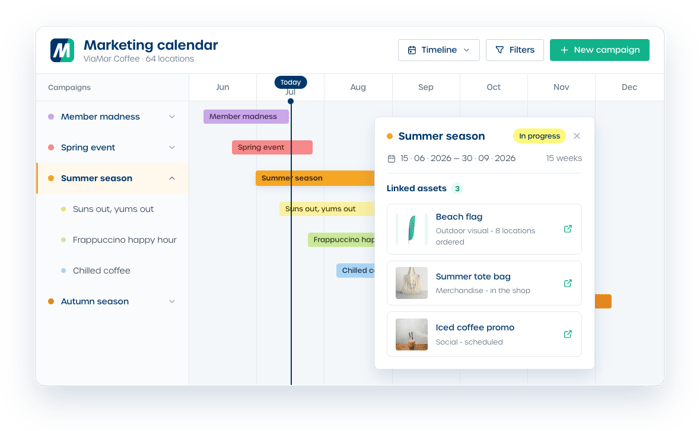
A central marketing calendar gives every location visibility into upcoming campaigns, timelines, and required materials.
Local teams can access or order the right materials from the campaign itself, instead of searching through separate emails and spreadsheets. The central team spends less time answering routine questions, and locations have a clearer path from campaign brief to execution.
2. Promoting a seasonal offer
A location wants to promote a summer deal. The manager opens an approved template, adds the local offer, and prepares the marketing without waiting for headquarters to create a new version.
The central team sets the boundaries. The local team handles the details that make the promotion relevant to its audience.
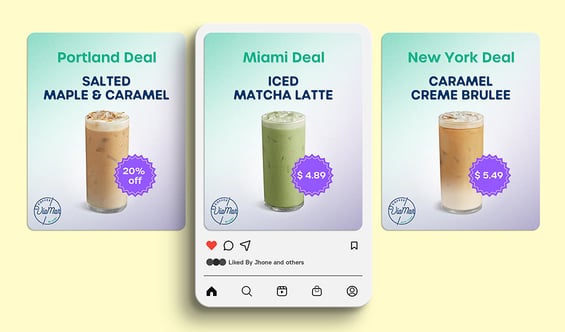
3. Running local social ads through Meta
Headquarters builds one central campaign. The brand portal then automatically generates a version for each location, adding the correct location details, images, and copy. The central team doesn’t have to create every ad manually.
This gives each location a ready-to-use ad while reducing the amount of manual production required from the central team.
4. Promoting a local event
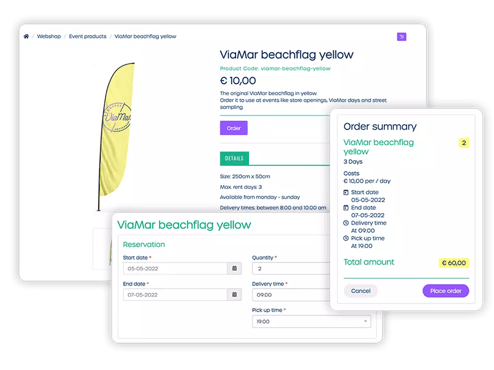
Opening a new location often involves many marketing materials, including signage, social content, flyers, and promotional items.
Headquarters can create an event kit in the brand portal. The location can then order the approved materials through the shop and use them as part of the opening plan.
Temporary items, such as flags or a balloon arch, can also be reserved for future events instead of being purchased each time.
5. Adapting marketing by region or language
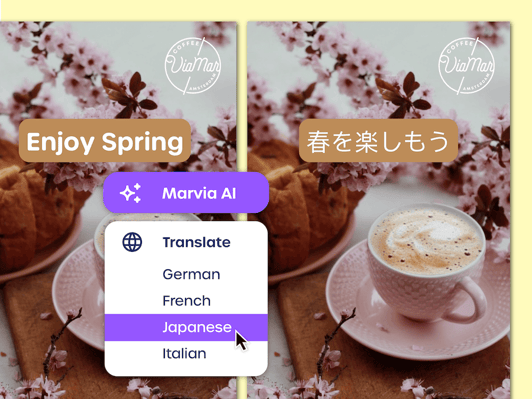
A campaign may need different copy, images, offers, or contact details for different regions and languages.
A brand portal lets teams customize these parts while keeping the core brand elements consistent. The result is marketing that feels relevant locally and still looks and sounds like the same brand.
How do you know if your brand portal is working?
A brand portal should help local teams launch marketing faster and reduce repetitive work for the central team. User numbers alone won’t tell you if it’s delivering that value.
Track measures such as:
- The number of requests still sent to headquarters
- The time from campaign brief to launch
- Activity by location
- The number of approved assets used
- The number of local campaigns published
- Orders placed through the portal
- Usage of templates and campaign materials
These measures show how people are using the portal in practice. They can also help you identify locations that need better onboarding, clearer instructions, or more relevant content.
Brand portal, DAM, or shared folder: what do you need?
| Shared folder | DAM | Brand Portal | |
|---|---|---|---|
| Main purpose | Sharing files | Managing digital files | Activating local marketing |
| Built for | Internal teams | Marketing and creative teams | HQ, locations, and partners |
| Brand assets | Stored | Centrally managed and searchable | Managed and used in the workflow |
| Brand guidelines | Separate files | Sometimes included | Available alongside the marketing tools |
| Templates | Usually none | Limited or none | Approved templates with protected brand elements |
| Local edits | Manual | Limited | Within preset boundaries |
| Campaigns | Shared through files and email | Focused on asset management | Planned, customized, and launched |
| Distribution | Download and share manually | Usually limited | Distribute online, offline, or order directly |
| Access permissions | Basic | More detailed | Set by role, location, and partner |
| Local self-service | Limited | Partial | Built into the experience |
| Analytics | Little or none | Mostly asset usage | Usage, activity, and performance per location |
-
Choose a shared folder if your main need is to share files.
- Choose a DAM if your priority is managing digital assets centrally.
- Choose a brand portal if local teams or partners need to create and run marketing independently.
Organizations with multiple locations, franchisees, or partners often need more than a place to store assets. The practical question is how to help locations use the right materials without making headquarters responsible for every request.
The bottom line
A shared folder helps people share files. A DAM helps teams manage brand assets. A brand portal gives local teams and partners the tools to create marketing, run campaigns, and order materials within clear brand guidelines.
The central team keeps control of the brand, while locations gain more independence. That means fewer manual requests, less waiting, and more approved marketing reaching the market.
Want to see how a brand portal could work for your organization? Book a free demo with Marvia to to explore how brand control and local marketing can work together in one platform.
FAQ about brand portals