
This quarter, we made it easier for local teams to find and share approved assets. The new Marvia AI Assistant can find, download, and share files from the DAM, giving partners a faster route to on-brand content and your team fewer routine asset requests. Here’s everything new in Q3.
Marvia AI
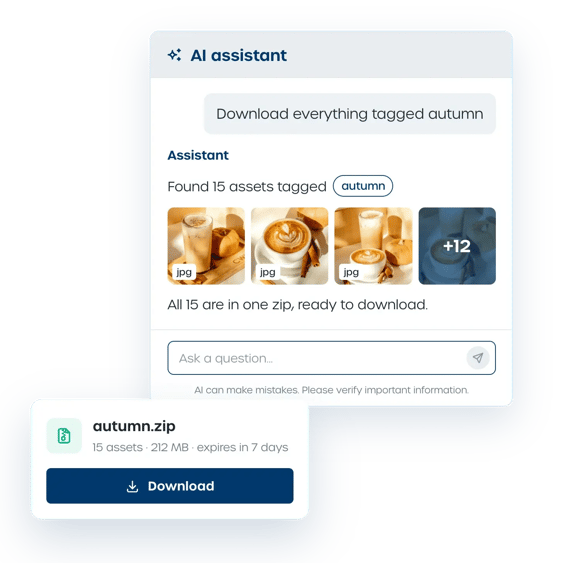
The new Marvia AI Assistant doesn’t just help users find assets, it helps deliver those assets to the person who needs them.
- Marvia AI Assistant
A partner can ask for “the latest product videos” or “everything tagged fall promotion.” The AI Assistant finds the files and can download them, bundle them into a ZIP, or share them with a note. Local teams can get what they need without asking central marketing to handle each request. Just make sure the Marvia AI setting is enabled.*
- Translate element titles
Add a title to a specific element, then translate it across all languages with the new button when translation is enabled. That means you don’t have to enter each translated title separately.
*Marvia AI features are currently free to use. If that changes, we’ll let you know in advance.
Flex Templates
Flex Templates now support more of the work that happens after a template is created. Teams can return to drafts, reuse elements, and send edits for review before publishing. Supplier connections also help move completed templates into ordering, while your team can keep the right checks in place.
- Approval workflows
Route Flex Template edits through approval workflows, so your team can review them before they’re published and help keep local versions on-brand.
- Save as drafts
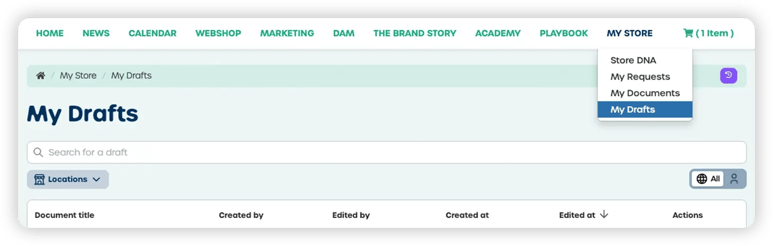
Not ready to finish? Save a Flex Template as a draft in My Documents and come back to edit it later.
- Supplier API connections
When a template is ready, APIs for Print.com, Drukwerkdeal, Probo, and Helloprint streamline order placement and make the next step more straightforward. - JPG or PNG output
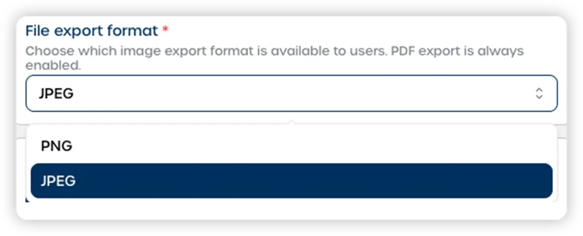
Admins can choose JPG or PNG output, so the file is in the format that fits its intended use.
- Copy and paste elements
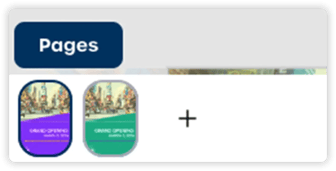
When enabled in the Admin, users can add, duplicate, and remove pages through the pages drawer. Local teams get more flexibility to adapt templates to their needs without looping in the central team for every change. - Reorder pages
Put multi-page materials in the right order by reordering pages directly from the bottom page overview.
- Organic social posts
Organic social posts created with Flex Templates now appear in the Monthly Marketing Calendar, so teams can see those posts alongside other planned marketing activity in one view.
Portal improvements
These updates help users see what’s new and make content easier to find, while giving admins more control over portal-wide tags.
- Recently Added
Put new content where users will see it: add the “Recently Added” element to any page. For example, show new DAM assets at the top of the DAM page so teams can spot them.

- Search
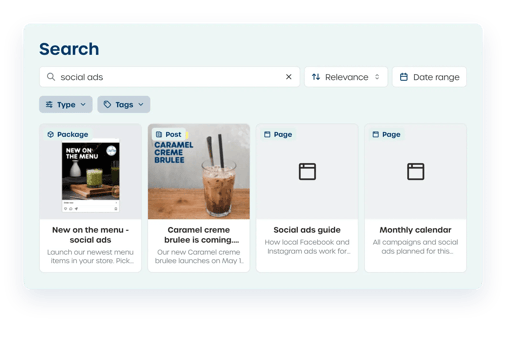
Search has a cleaner, easier-to-use design, making it more straightforward for users to find what they need.
- Tags
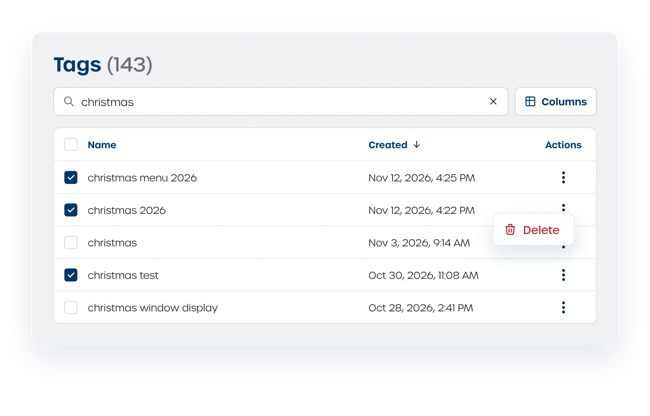
Keep tag suggestions relevant by reviewing portal-wide tags in a new platform setting. Admins can search the list and bulk-delete tags that are no longer needed.
These are the major improvements we made to the platform in Q3. Each feature makes managing distributed marketing campaigns more efficient and gives you more control over your multi-location marketing.
For a complete list of all updates, bug fixes, and smaller improvements from this quarter, check out our Changelog.